Do you want to restrict some of the sites to open up in your machine ? You can do with some browsers but same can be easily find out by others. Here is another way for blocking sites in the local machine.
1. Take C:\Windows\system32\drivers\etc
2. Open file hosts in C:\Windows\system32\drivers\etc
3. Add a new line to the hosts specifying the website name.
For example if you want to block www.youtube.com and www.orkut.com please add the below lines to the file hosts
127.0.0.1 www.youtube.com
127.0.0.1 www.orkut.com
You may need to restart your browser for making it effect.
Showing posts with label Websites. Show all posts
Showing posts with label Websites. Show all posts
Tuesday, September 8, 2009


Tuesday, April 7, 2009
Google tips for effective googling
Most of us use Google in our daily life, in one way or other. Here are a few tips to Google more effectively:

Use "info:" for accessing the above specified tips. For e.g.: "info:http://google.com" will show the options for searching similar to, link to, google's cache, from the site options. Use "related:" for searching related sites of the specified site. For e.g.: "related:http://google.com" will display the results with sites similar/related to google. Use "filetype:" for specifying the file type of the search results. For e.g.: ".net tutorial filetype:ppt" will display .net PPT Tutorials. Use google as a calculator simply enter the expression in the search box and Go. Use google as a convertor. For eg: try "1 USD to JPY"

- Use quotation marks for searching exact phrases. For e.g.: "Your exact phrase" will return results containing the exact phrase Your exact phrase.
- Use "tilde" for getting search with synonym. For e.g.: "~Health decission" will display the results for the synonyms of Health decission.
- Use "minus sign" for filtering the search results removing the word you do not want. For e.g.: "nano -ipod" results nano results other than ipod nano.
- Use "define:" for getting the defnition/meaning of a given word/phrase. For e.g.: "define: electromagnetic spectrum" will show the definitions of electromagnetic spectrum.
- Use "site:" for limiting the search to the specified site or domain only. For e.g.: "site:freshtechies.blogspot.com" will display the search result for the pages from the site freshtechies.blogspot.com. If you give "VC++" site:freshtechies.blogspot.com it will display the VC++ result from the pages of that site.
See more search operators and usages here.
Saturday, March 28, 2009
Microsoft TechNet for Software Developers
Are you a windows (based) application developer and have you ever heared of Microsoft Technet or visited it's website ? If you have not then you have missed strong knowledge support.
Microsoft TechNet is a Microsoft site for techical information, developer utilities, news, blogs, events for software professionals. It can be accessed through the link http://technet.microsoft.com.
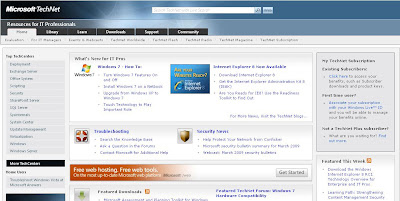
Website features include,
Microsoft TechNet is a Microsoft site for techical information, developer utilities, news, blogs, events for software professionals. It can be accessed through the link http://technet.microsoft.com.

Website features include,
- TechNet Library is a source of technical information for IT professionals and advanced users. The technical content is freely available on the web
- TechNet Forums are the web-based forums used by the community to discuss a wide variety of IT professional topics.
- TechNet Blogs is an exclusive blogging platform of Microsoft employees.
- Windows SysInternals show cases a collection of free utilities for Software Developers.
So software developers please visit and see what you have here special to make your life easy !
Subscribe to:
Posts (Atom)


 Posts
Posts